wwwwwwwwwwwwwwwwwww
Image
Shared images through the native image loader
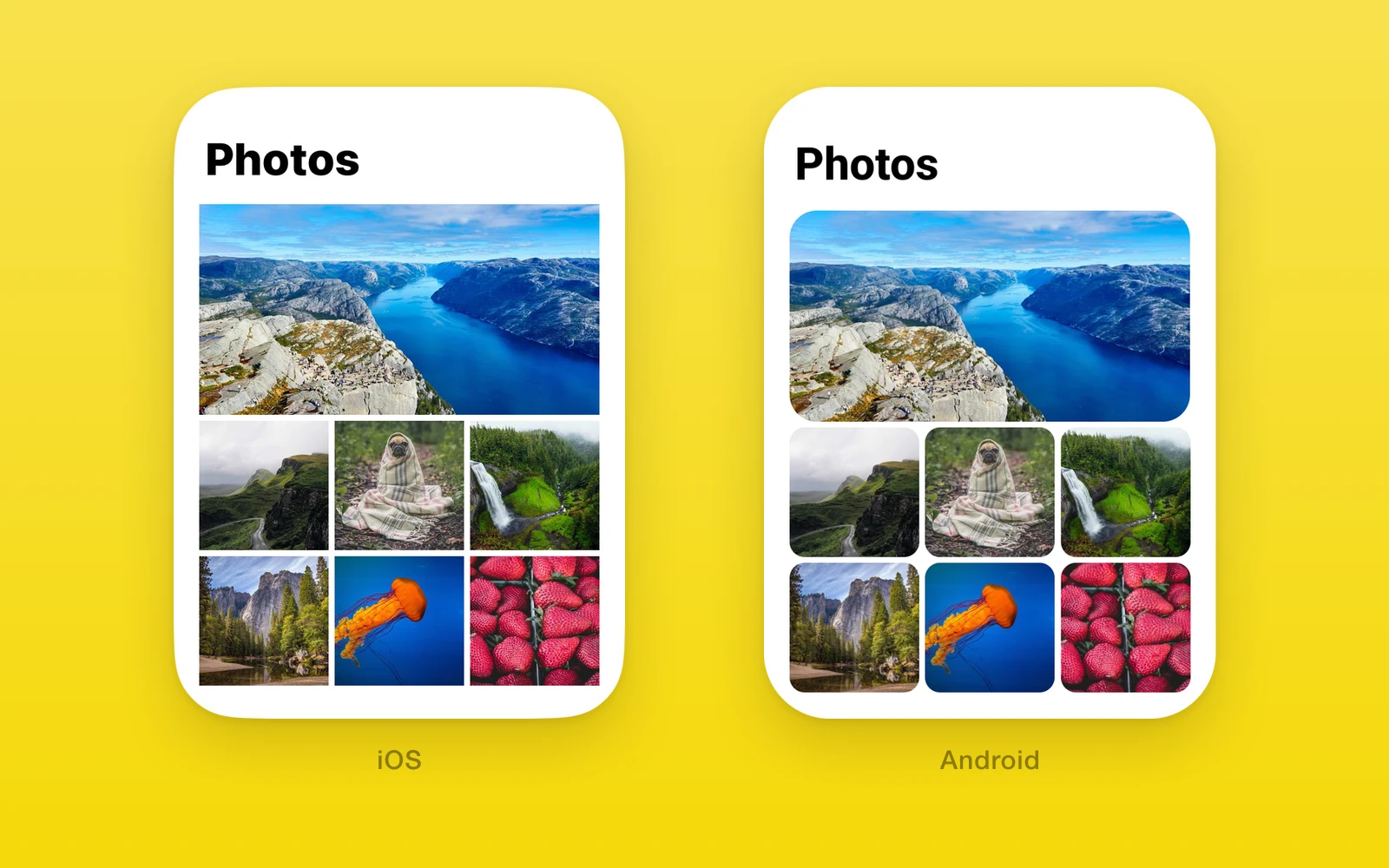
One.UI.Image shows local and remote images through Nitro Image on iOS and
Android, and an img element on web.
- Takes a URL string, a
{ uri }source, or a bundled image. - Load events match React Native’s image.
recyclingKeykeeps recycled list cells from flashing old images.- The loader ships with
one, so remote images need no extra install.
Usage
Give the image a size. cover is the default resize mode.
import { One } from 'one'
<One.UI.Image  source={{ uri: photo.url }}  style={{ width: 240, height: 160 }}  onError={({ nativeEvent }) => console.warn(nativeEvent.error)}/>
In long lists, set recyclingKey to the image’s URL so a reused cell shows
nothing until its new image loads.
<One.UI.Image source={item.url} recyclingKey={item.url} style={styles.thumb} />API reference
Image also accepts React Native ImageProps other than the four below,
including style, onLoadStart, and onLoadEnd.
| Props | Type | Description |
|---|---|---|
source (required)string | number | { uri: string }A URL, a { uri } object, or a bundled image from require(). | string | number | { uri: string } | A URL, a { uri } object, or a bundled image from require(). |
resizeMode"cover" | "contain" | "center" | "stretch" = "cover"How the image fits the view when their shapes differ. | "cover" | "contain" | "center" | "stretch" = "cover" | How the image fits the view when their shapes differ. |
recyclingKeystringWhen it changes, the view clears until the new image loads. | string | When it changes, the view clears until the new image loads. |
| Events | Type | Description |
|---|---|---|
onLoad(event: { nativeEvent: { source: { uri: string; width: number; height: number } } }) => voidThe image loaded. Width and height are its pixel size. | (event: { nativeEvent: { source: { uri: string; width: number; height: number } } }) => void | The image loaded. Width and height are its pixel size. |
onError(event: { nativeEvent: { error: string } }) => voidThe image failed to load. | (event: { nativeEvent: { error: string } }) => void | The image failed to load. |
Behavior
onLoadStartandonLoadEndfire around every source change.- The view stays empty until the current source loads; it never shows the previous image under a new source.
- Android does not round the image itself with
borderRadius. To round corners on both platforms, wrap the image in aViewwithborderRadiusandoverflow: 'hidden'.
| iOS | Android | Web | |
|---|---|---|---|
| Renderer | Nitro Image | Nitro Image | img |
| Bundled images | Yes | Yes | Throws; use a URL |
center | Centered at natural size | Centered at natural size | object-fit: none |
Edit this page on GitHub.