
Picture in Picture
Float any view in the system picture in picture window on iOS and Android
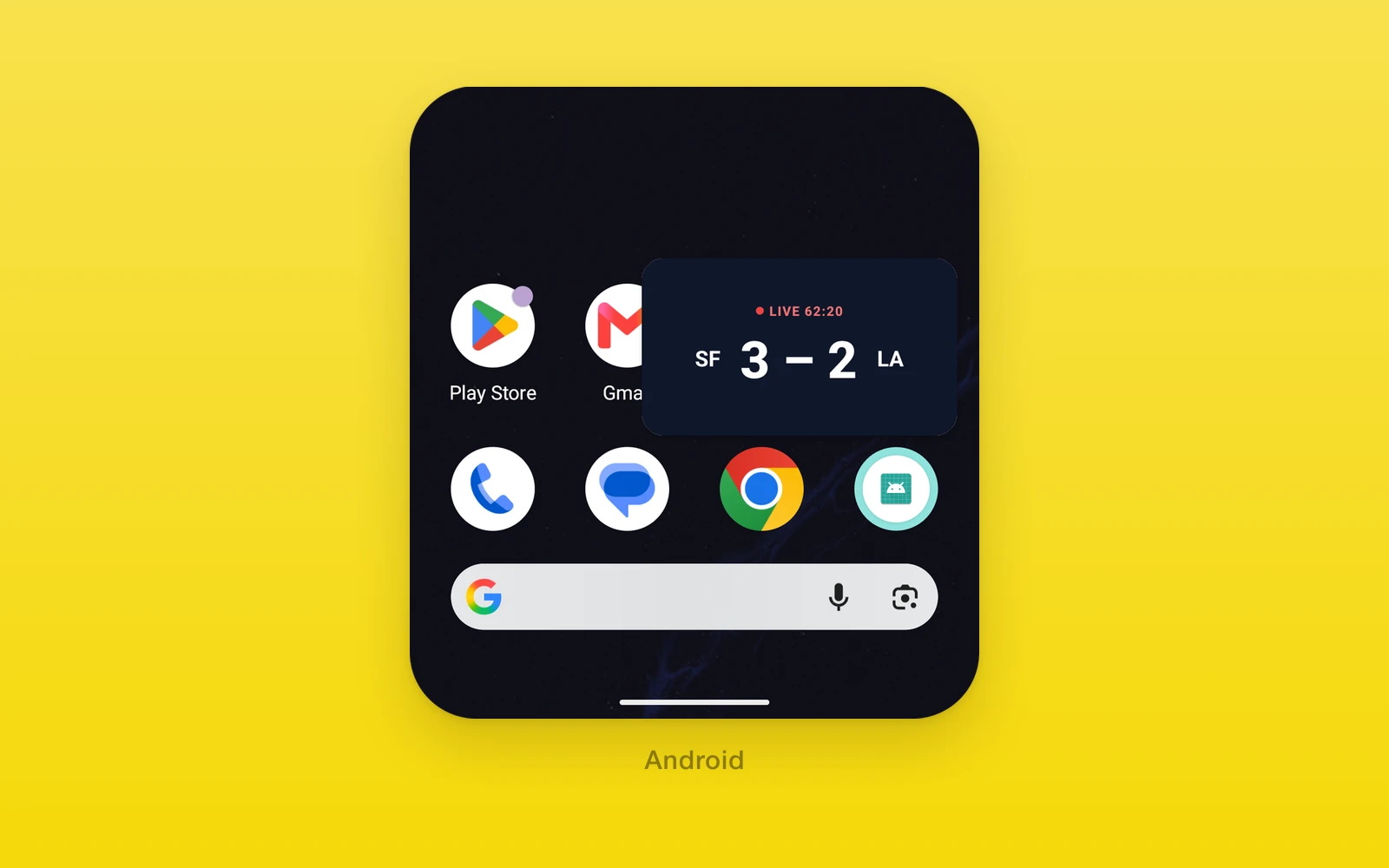
One.UI.PictureInPicture floats its children in the system picture in
picture window, where they keep updating while the app is in the background.
- Any React Native view, not only video.
autoEnterenters the window when people leave the app.onActiveChangereports every transition, including ones the system makes.- Web renders the children inline.
Usage
Turn it on in the app manifest. Prebuild adds the iOS audio background mode
and the Android supportsPictureInPicture activity flag.
one({ native: { app: { pictureInPicture: true } } })Then wrap the content. Give it a size; the window takes its aspect ratio.
import { useState } from 'react'import { One } from 'one'
export function LiveScore() {  const [active, setActive] = useState(false)  return (    <One.UI.PictureInPicture      style={{ width: '100%', aspectRatio: 16 / 9 }}      active={active}      autoEnter      onActiveChange={setActive}    >      <Scoreboard />    </One.UI.PictureInPicture>  )}
API reference
PictureInPicture also accepts React Native ViewProps.
| Props | Type | Description |
|---|---|---|
childrenReactNodeThe content shown inline and in the window. | ReactNode | The content shown inline and in the window. |
activeboolean = falseAsks for the window. Acted on when it changes. | boolean = false | Asks for the window. Acted on when it changes. |
autoEnterboolean = falseEnters the window when the app goes to the background. | boolean = false | Enters the window when the app goes to the background. |
onActiveChange(active: boolean) => voidEvery real transition, including the system closing the window or the app returning. | (active: boolean) => void | Every real transition, including the system closing the window or the app returning. |
Behavior
- Returning to the app ends picture in picture and brings the content back inline.
- Keep
activein sync throughonActiveChange, since the system can end the window on its own.
| iOS | Android | Web | |
|---|---|---|---|
| Window content | Children redrawn about 30 times a second | The activity, filled with the children | Inline only |
| Aspect ratio | The component’s | The component’s, within 1:2.39 to 2.39:1 | |
| Simulator | iPad only | Yes |
On iOS, the children render into an AVSampleBufferDisplayLayer, so content
drawn outside Core Animation, such as video players and Metal or WebGPU
canvases, shows its last snapshot. The audio session is set to playback,
mixing with other audio.
On Android, the whole activity shrinks into the window. The component freezes the layout at full size and fills the window with just its children, scaled to fit.
Edit this page on GitHub.