
Pager
Swipe between React Native pages on iOS, Android, and web
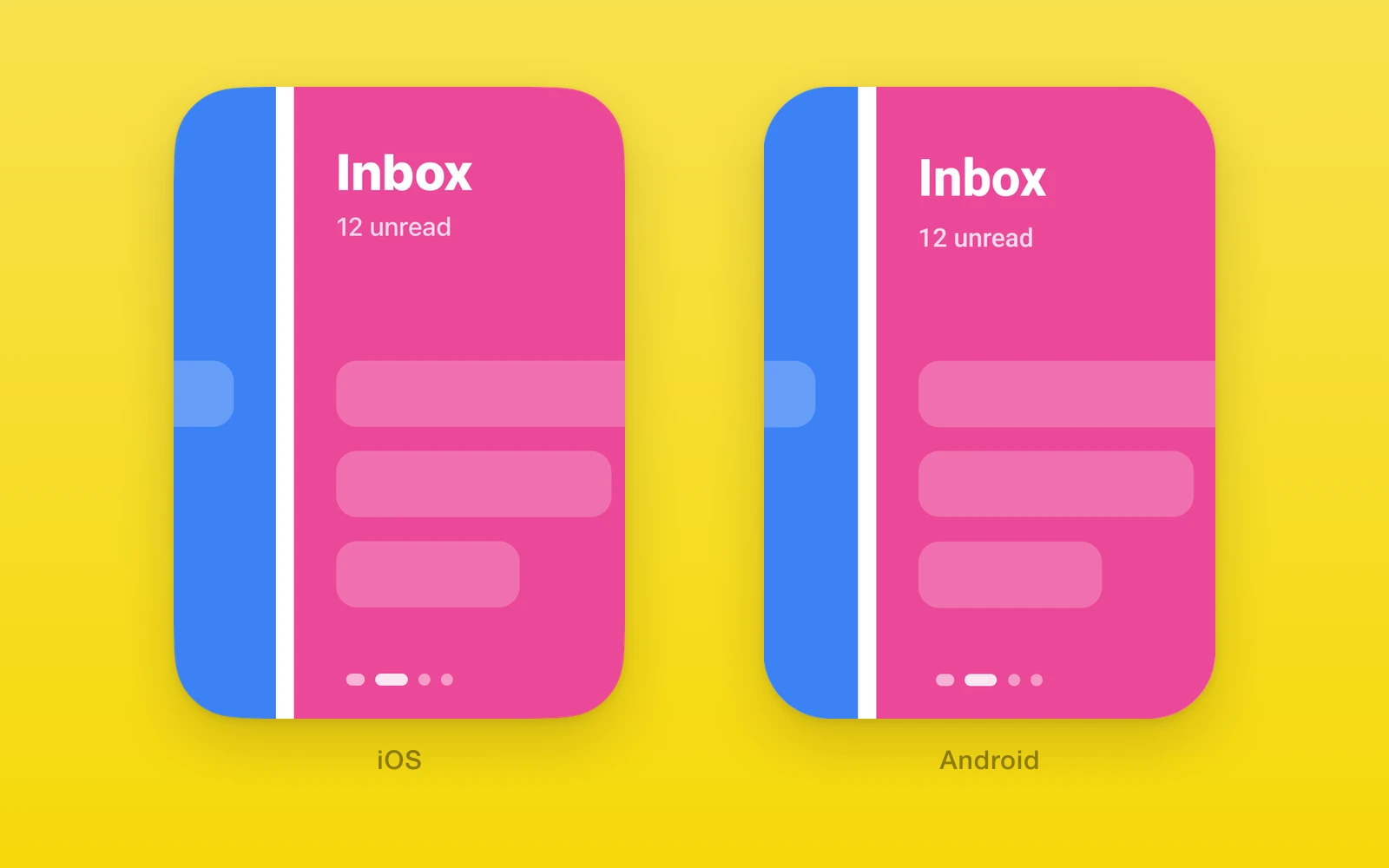
One.UI.Pager shows one child view per page and swipes between them.
iOS uses a paging UIScrollView, Android uses ViewPager2, and web uses
CSS scroll snap.
- Every page stays in the React tree, so state and context survive a swipe.
onPageScrollreports continuous progress during drags and settles.- The ref moves pages with or without animation.
- It replaces
react-native-pager-viewwithout other changes.
Usage
Give the pager a size and give each page a stable key. Each direct child
fills the pager.
import { useRef, useState } from 'react'import { One, type PagerRef } from 'one'import { Button, Text, View } from 'react-native'
export function Onboarding() {  const pager = useRef<PagerRef>(null)  const [page, setPage] = useState(0)
  return (    <View style={{ flex: 1 }}>      <One.UI.Pager        ref={pager}        style={{ flex: 1 }}        onPageSelected={({ nativeEvent }) => setPage(nativeEvent.position)}      >        <View key="welcome">          <Text>Welcome</Text>        </View>        <View key="sync">          <Text>Sync</Text>        </View>        <View key="done">          <Text>Done</Text>        </View>      </One.UI.Pager>      <Button        title={page === 2 ? 'Start' : 'Next'}        onPress={() => pager.current?.setPage(Math.min(page + 1, 2))}      />    </View>  )}
Page indicators
onPageScroll sends position + offset as a continuous value. Use it as the
only writer of scroll progress, for example in a Reanimated shared value, and
derive indicators from it.
const progress = useSharedValue(0)
<One.UI.Pager  style={{ height: 360 }}  onPageScroll={({ nativeEvent }) => {    progress.set(nativeEvent.position + nativeEvent.offset)  }}>  {pages}</One.UI.Pager>
API reference
Pager
Pager also accepts React Native ViewProps. style sizes the pager itself.
| Props | Type | Description |
|---|---|---|
childrenReactNodeOne React Native element per page. Each child fills the pager. Anything other than an element throws. | ReactNode | One React Native element per page. Each child fills the pager. Anything other than an element throws. |
initialPagenumber = 0The page shown on mount. Later changes are ignored; use the ref to move. | number = 0 | The page shown on mount. Later changes are ignored; use the ref to move. |
scrollEnabledboolean = trueAllows user swipes. The ref methods still move pages when it is false. | boolean = true | Allows user swipes. The ref methods still move pages when it is false. |
orientation"horizontal" | "vertical" = "horizontal"The swipe axis. | "horizontal" | "vertical" = "horizontal" | The swipe axis. |
layoutDirection"ltr" | "rtl" = "ltr"Horizontal page order. Indices keep child order, so page 0 sits on the right in rtl. | "ltr" | "rtl" = "ltr" | Horizontal page order. Indices keep child order, so page 0 sits on the right in rtl. |
pageMarginnumber = 0Gap between pages, visible only during a swipe. Must be zero or more. | number = 0 | Gap between pages, visible only during a swipe. Must be zero or more. |
keyboardDismissMode"none" | "on-drag" = "none"With on-drag, starting a swipe dismisses the keyboard. | "none" | "on-drag" = "none" | With on-drag, starting a swipe dismisses the keyboard. |
overdragboolean = falseiOS only. Lets the first and last pages bounce past the edge. | boolean = false | iOS only. Lets the first and last pages bounce past the edge. |
offscreenPageLimitnumberAndroid only. Pages kept laid out on each side of the current page: -1 for the ViewPager2 default, or a positive integer. | number | Android only. Pages kept laid out on each side of the current page: -1 for the ViewPager2 default, or a positive integer. |
overScrollMode"auto" | "always" | "never" = "auto"Android only. The edge glow at the first and last pages. | "auto" | "always" | "never" = "auto" | Android only. The edge glow at the first and last pages. |
| Events | Type | Description |
|---|---|---|
onPageScroll(event: PagerScrollEvent) => voidEvery scroll frame during a drag or an animated settle, and once with offset 0 when a settle lands. | (event: PagerScrollEvent) => void | Every scroll frame during a drag or an animated settle, and once with offset 0 when a settle lands. |
onPageSelected(event: PagerSelectedEvent) => voidOnce on mount with the initial page, then whenever the selected page changes. | (event: PagerSelectedEvent) => void | Once on mount with the initial page, then whenever the selected page changes. |
onPageScrollStateChanged(event: PagerScrollStateEvent) => voidThe scroll state changes between idle, dragging, and settling. | (event: PagerScrollStateEvent) => void | The scroll state changes between idle, dragging, and settling. |
Event payloads
Every event has the shape { nativeEvent }.
| PagerScrollEvent | Type | Description |
|---|---|---|
positionnumberThe page at or before the current scroll position. | number | The page at or before the current scroll position. |
offsetnumberProgress from position toward the next page, from 0 up to 1. | number | Progress from position toward the next page, from 0 up to 1. |
| PagerSelectedEvent | Type | Description |
|---|---|---|
positionnumberThe selected page. | number | The selected page. |
| PagerScrollStateEvent | Type | Description |
|---|---|---|
pageScrollState"idle" | "dragging" | "settling"dragging while a finger moves the pager, settling while it animates to a page, idle once it rests. | "idle" | "dragging" | "settling" | dragging while a finger moves the pager, settling while it animates to a page, idle once it rests. |
PagerRef
Import the type from one and pass a ref to the pager.
| Methods | Type | Description |
|---|---|---|
setPage(index: number) => voidAnimates to a page. Fires onPageScrollStateChanged with settling, then idle. | (index: number) => void | Animates to a page. Fires onPageScrollStateChanged with settling, then idle. |
setPageWithoutAnimation(index: number) => voidJumps to a page with no animation. | (index: number) => void | Jumps to a page with no animation. |
setScrollEnabled(enabled: boolean) => voidAllows or blocks user swipes without a render. The next change to the scrollEnabled prop replaces it. | (enabled: boolean) => void | Allows or blocks user swipes without a render. The next change to the scrollEnabled prop replaces it. |
An index must be a nonnegative integer; anything else throws. An index past the last page does nothing. A call made before the pager lays out moves it to that page on first layout.
Behavior
- Removing the selected page when it is last selects the new last page.
- A resize keeps the selected page.
- Invalid prop values throw during render on every platform.
- The pager adds no safe area or keyboard insets. Pages own them.
- Nested pagers on Android hand a swipe to the inner pager until it reaches its edge.
| iOS | Android | Web | |
|---|---|---|---|
| Native view | UIScrollView with paging | ViewPager2 | CSS scroll snap |
| Pages mounted | All | All; offscreenPageLimit sets how many are attached | All |
overdrag | Bounce at the ends | Ignored | Ignored |
offscreenPageLimit | Ignored | Applied | Ignored |
overScrollMode | Ignored | Edge glow | Ignored |
For SwiftUI pages with string selection and One.iOS.Page children, use
One.iOS.Pager.
Migrating from react-native-pager-view
Replace the default import and JSX with One.UI.Pager, and type the ref as
PagerRef from one. The props, events, and ref methods keep their names
and payloads.
Edit this page on GitHub.